help with posting picasa picture embed.......

Collapse
This topic is closed.
X
X
 
  • Time
  • Show
Clear All
new posts
  • footprintsinconc
    Veteran Member
    • Nov 2006
    • 1759
    • Roseville (Sacramento), CA
    • BT3100

    #1

    help with posting picasa picture embed.......

    just trying to insert a pic from picasa

    <a href="http://picasaweb.google.com/lh/photo/1ckMBW8d4cayMI8DxWc-6w?feat=embedwebsite"><img src="http://lh5.ggpht.com/_gyNkSEPh43k/SX0S-82gV_I/AAAAAAAAAVo/OAHe_jmwqcs/s288/DSC_0014.JPG" /></a>

    it doesnt seem like working, what am i doing wrong?
    _________________________
    omar
  • cabinetman
    Gone but not Forgotten RIP
    • Jun 2006
    • 15216
    • So. Florida
    • Delta

    #2
    Originally posted by footprintsinconc
    just trying to insert a pic from picasa

    <a href="http://picasaweb.google.com/lh/photo/1ckMBW8d4cayMI8DxWc-6w?feat=embedwebsite"><img src="http://lh5.ggpht.com/_gyNkSEPh43k/SX0S-82gV_I/AAAAAAAAAVo/OAHe_jmwqcs/s288/DSC_0014.JPG" /></a>

    it doesnt seem like working, what am i doing wrong?
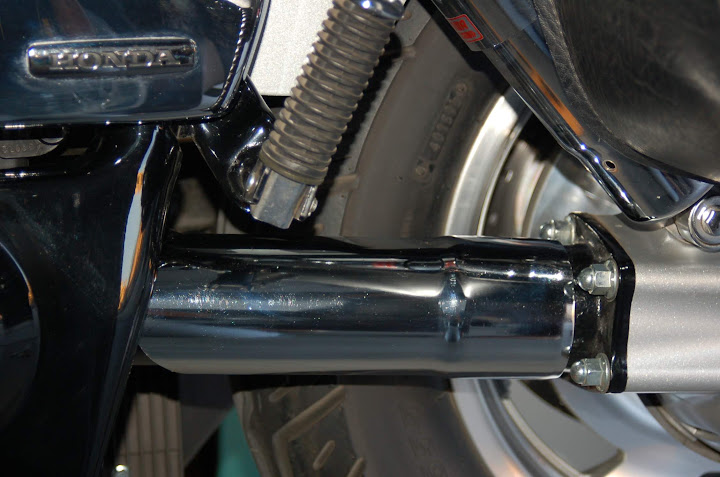
    Is this the one?
    .

    .

    Comment

    • footprintsinconc
      Veteran Member
      • Nov 2006
      • 1759
      • Roseville (Sacramento), CA
      • BT3100

      #3
      yes, that is the one!

      how did you do that? i know i just use to paste it from photobucket, but i cant find the same type of link in picasa, here is the link to the directory:

      http://picasaweb.google.com/footprin...aftCromeCover#
      _________________________
      omar

      Comment

      • cabinetman
        Gone but not Forgotten RIP
        • Jun 2006
        • 15216
        • So. Florida
        • Delta

        #4
        Originally posted by footprintsinconc
        yes, that is the one!

        how did you do that? i know i just use to paste it from photobucket, but i cant find the same type of link in picasa, here is the link to the directory:

        http://picasaweb.google.com/footprin...aftCromeCover#

        Actually I had to simplify your link to get it to work. When I got to Picasa, and the photo, I right clicked on the photo. Then left clicked on "properties". Then highlighted the image location. Then right clicked on the link. Then left clicked on "copy".

        Then in the post right clicked to bring out the link, and left clicked "paste". Then added [IMG] up front, and [/IMG] at the end.

        It's late and I'm tired, and I think I got the sequence right, maybe not.
        .

        Comment

        • radhak
          Veteran Member
          • Apr 2006
          • 3061
          • Miramar, FL
          • Right Tilt 3HP Unisaw

          #5
          CM's got it right, but I'll just add to it.

          This forum's image tag expects an HTTP link to an image file (ending in JPG). the link offered by Picasa has some formatting padding that URL. You need to extract the core URL pointing to the image, and use it between the img tag.

          ie, in your case, Picasa gave this link :
          <a href="http://picasaweb.google.com/lh/photo/1ckMBW8d4cayMI8DxWc-6w?feat=embedwebsite"><img src="http://lh5.ggpht.com/_gyNkSEPh43k/SX0S-82gV_I/AAAAAAAAAVo/OAHe_jmwqcs/s288/DSC_0014.JPG" /></a>

          you'd extract just the text after src=" till the end-quote. ie, copy this part :
          <a href="http://picasaweb.google.com/lh/photo/1ckMBW8d4cayMI8DxWc-6w?feat=embedwebsite"><img src=" http://lh5.ggpht.com/_gyNkSEPh43k/SX...8/DSC_0014.JPG " /></a>

          and place it between the image tags [img]...[/img] tags
          It is the mark of an educated mind to be able to entertain a thought without accepting it.
          - Aristotle

          Comment

          • footprintsinconc
            Veteran Member
            • Nov 2006
            • 1759
            • Roseville (Sacramento), CA
            • BT3100

            #6
            thanks cman and radhak!
            _________________________
            omar

            Comment

            Working...